📚
The Complete Record Method
Document each activity as it happens and FolioKid becomes your family's system of record: hours tally themselves against your state's target, subject coverage fills in automatically, and a polished portfolio PDF is ready any day of the year. About 30 seconds per activity.
1Set up once
- Pick your state in Account → Portfolio settings. FolioKid organizes your portfolio around your state's requirements — required subjects, hour targets, test years, and evaluator forms turn on automatically. (You're always responsible for verifying your state's current rules.)
- Add each student with their grade. Grade matters: it sets hour targets and test years where your state splits them.
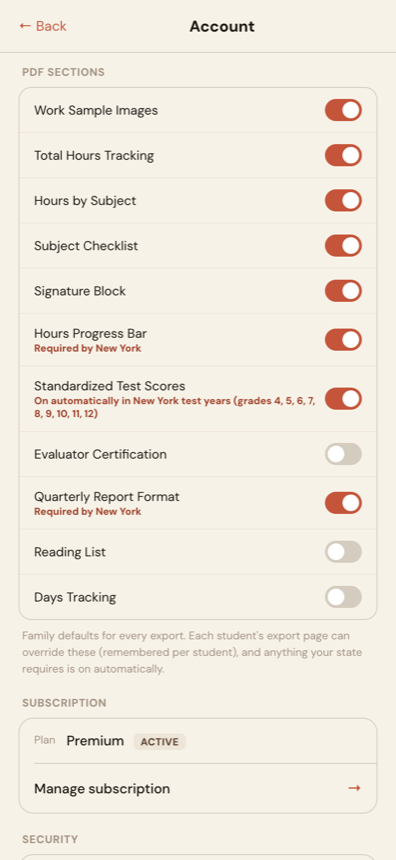
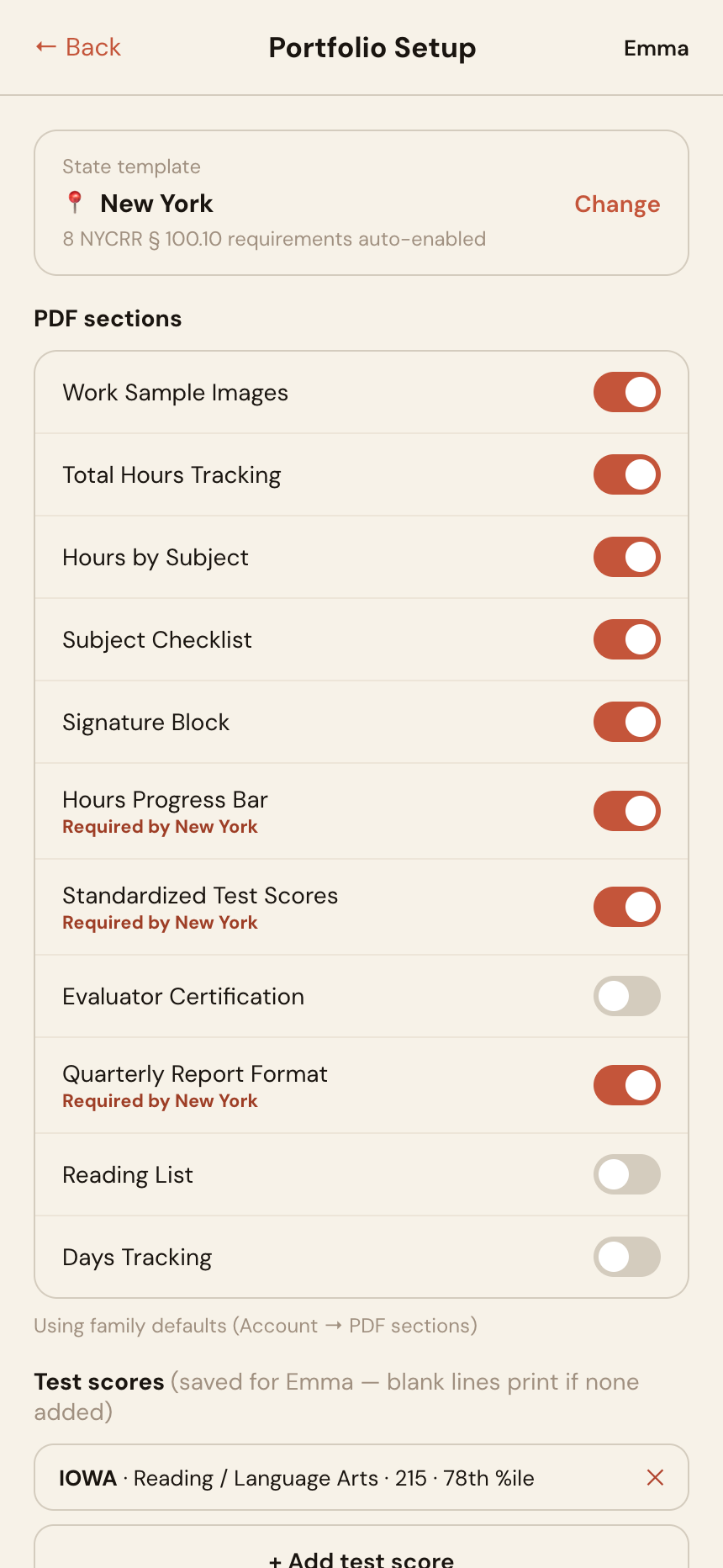
- Review Account → PDF sections — a quick look at your family's export defaults: which extras (reading list, test scores, signature blocks, evaluator certification…) print in every PDF. Anything your state requires is already on, and each student's ⚙️ Portfolio Setup page can override these per child later.
2Capture as you go
When an activity wraps up, open the student and tap Add Item:
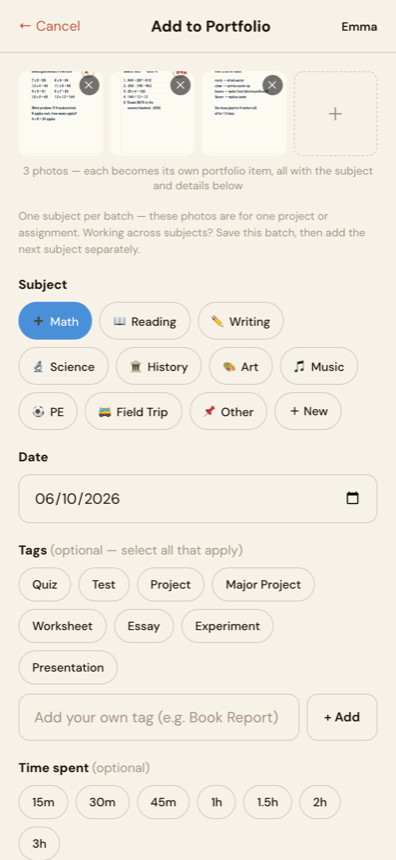
- Photo — snap it or upload up to 10 photos at once. A batch is for one project or assignment: every photo becomes its own portfolio item, all sharing the subject, date, and notes you pick below. Different subjects? Save the batch, then Add Item again.
- Subject — tap one of the subject buttons, or add your own with + New (Latin, Coding, Violin…).
- Date — defaults to today; backdate freely when you're catching up from the week.
- Time spent — tap one of the quick time buttons or type the minutes. This is what feeds your hours tracking, so make it a habit.
- Tags — mark Quizzes, Tests, Projects, and especially Major Projects. Tags pay off at export time and help evaluators navigate.
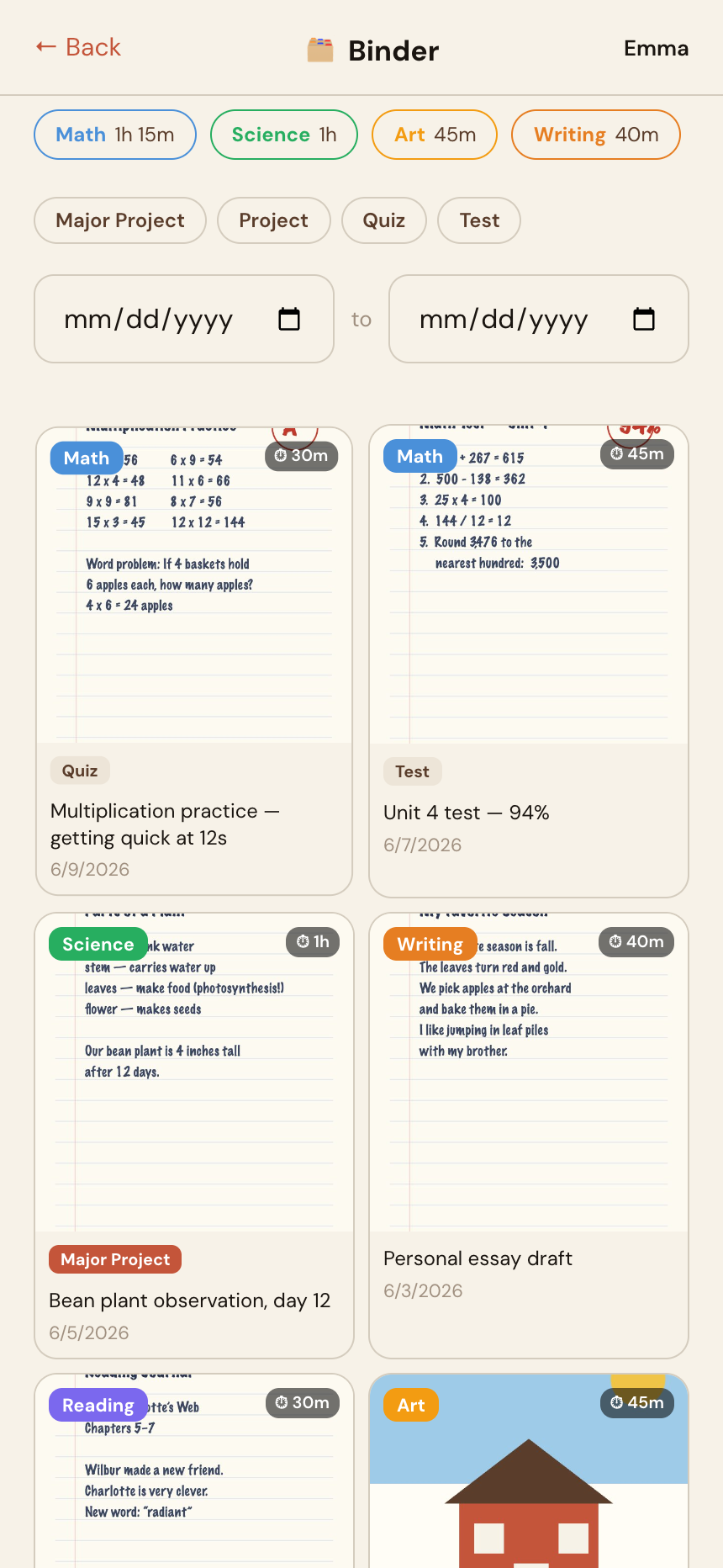
Tip: photograph a stack of the week's work in one batch upload — time spent is logged once for the whole batch, so your hours never get inflated.
3Keep the extras current
- 📚 Reading List — add books as they're finished. Many state evaluations ask for one, and it prints as a table in your PDF.
- Test scores — when standardized results arrive, enter them in ⚙️ Portfolio Setup on the student's page. They're saved per student and included automatically in test years.
- Watch the hours bar — if your state has an hours target, each student's page shows live progress ("412h of 900h") so year-end never surprises you.
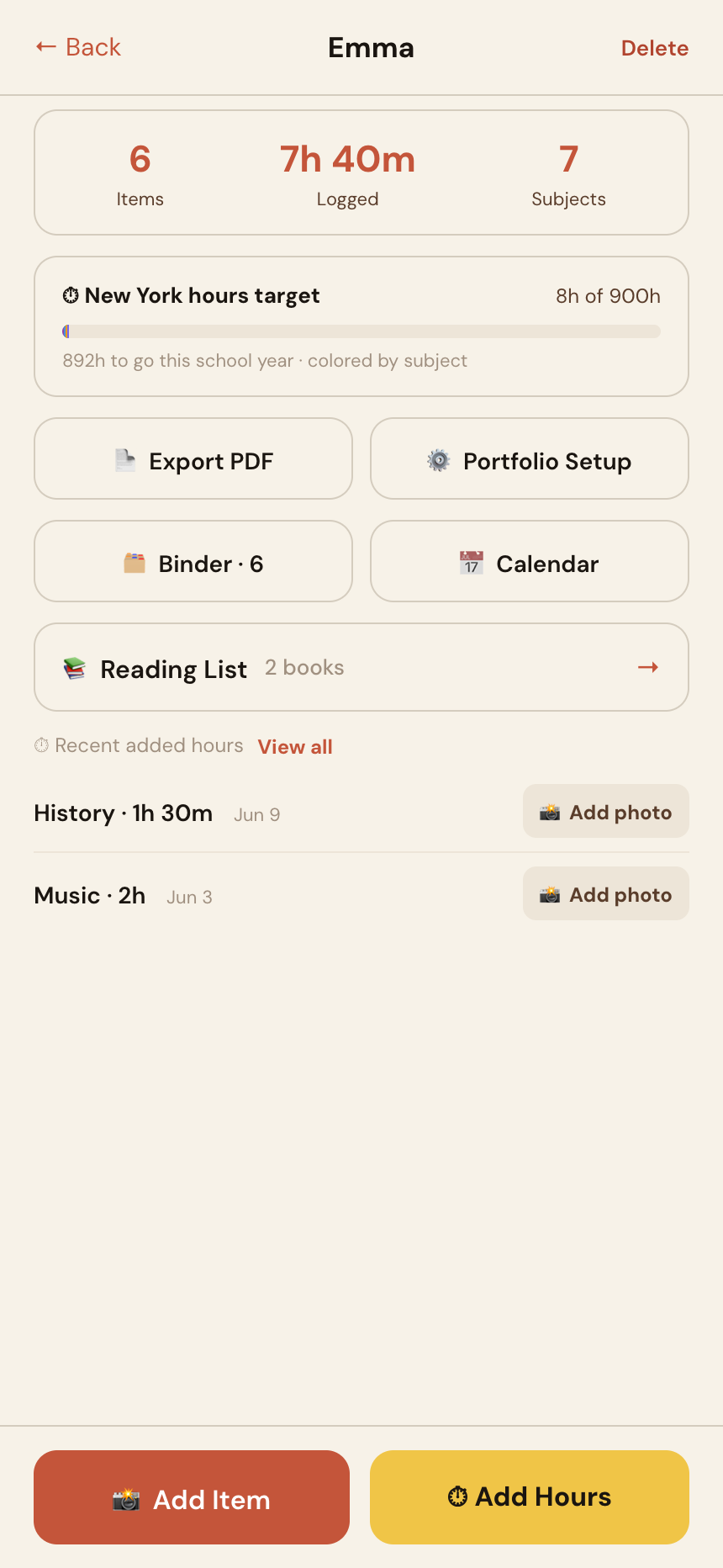
Where the extras live: family-wide defaults (which sections print in every PDF) are in Account → PDF sections. Per-child details — test scores, evaluator name, section overrides — are in each student's ⚙️ Portfolio Setup, saved so you only enter them once.
4Export when it's due
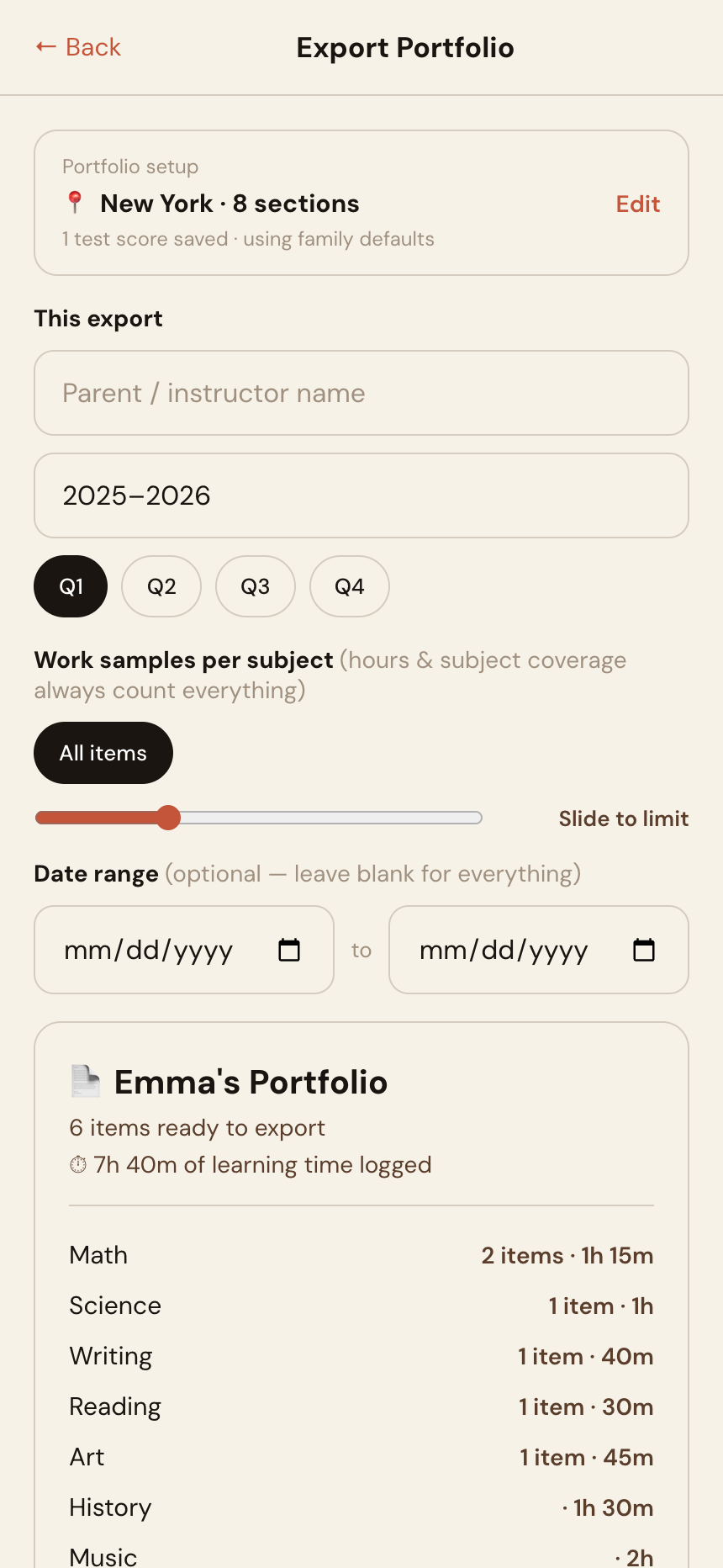
- Open the student → Export PDF. Your state's template is pre-applied: subject checklist, hours progress, legal citations, signature blocks, evaluator certification where required.
- Set the date range for the reporting period (New York families: pick the quarter — the quarterly format is already on).
- Generate. Every item, photo, and hour you logged is in there, organized for your evaluator. Save the PDF to email it, or print it for an in-person review — it's yours to keep and send however your evaluator prefers.
- Or skip the attachment entirely: 🔗 Share with evaluator creates a read-only link — no account needed on their end, and it expires on its own after 30 days. Need to cut access sooner? Every active link is listed right there with a Revoke button — one tap and it stops working immediately.
Prefer a lighter touch? If logging every activity sounds like too much, read the Highlights + Hours Log method — upload a few favorites and type in your hours instead.
Ready to start your record? Free to start — no credit card required.
Create Free Account →